HPC DIY

We are building, from scratch, a multi-node GPU-enabled computing cluster using Raspberry Pi single-board computers and other commodity hardware (in the spirit of Beowulf-style clusters). We aim for open-source software stack (Linux/Slurm/OpenMPI/…). The project is truly a team-wide effort and has multiple goals:
- to provide a fully controllable development and testing environment for our MPI-based projects: Numba-MPI and PyMPDATA-MPI;
- to offer a (multi)-GPU environment for the development and testing of the PySDM project;
- to provide a playground cluster for learning and teaching parallel computing (MPI + threading and GPUs);
- to build up DevOps know-how on cluster configuration and maintenance;
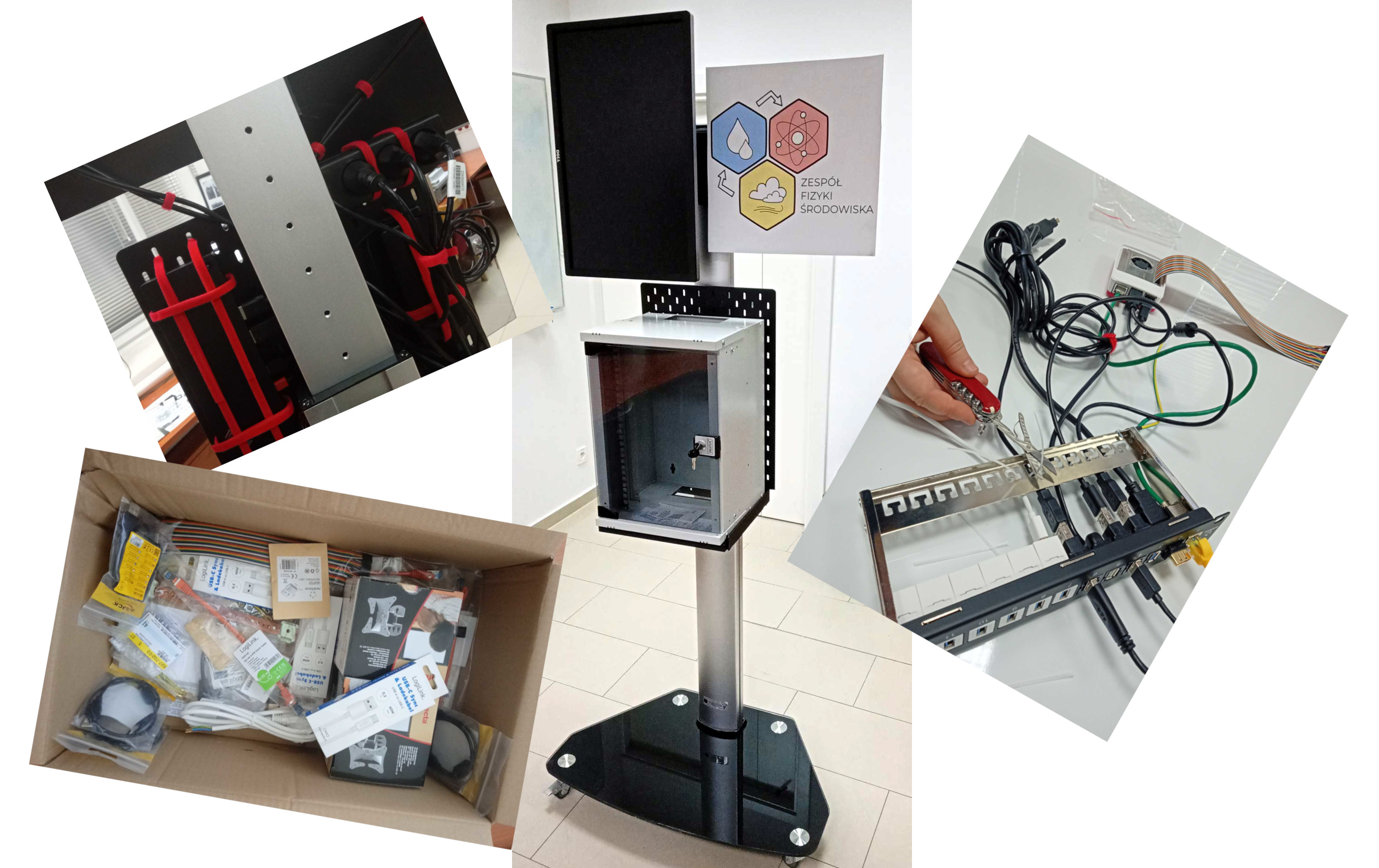
- to bring a tangible element to our RSE and simulation projects, which can be showcased at open days and outreach events (the cluster mounted on a mobile platform);
- last but not least, to have fun tinkering together with a DIY hardware project!
Compute nodes and interconnection network
As of the present proof-of-concept stage, we start off with two compute nodes.
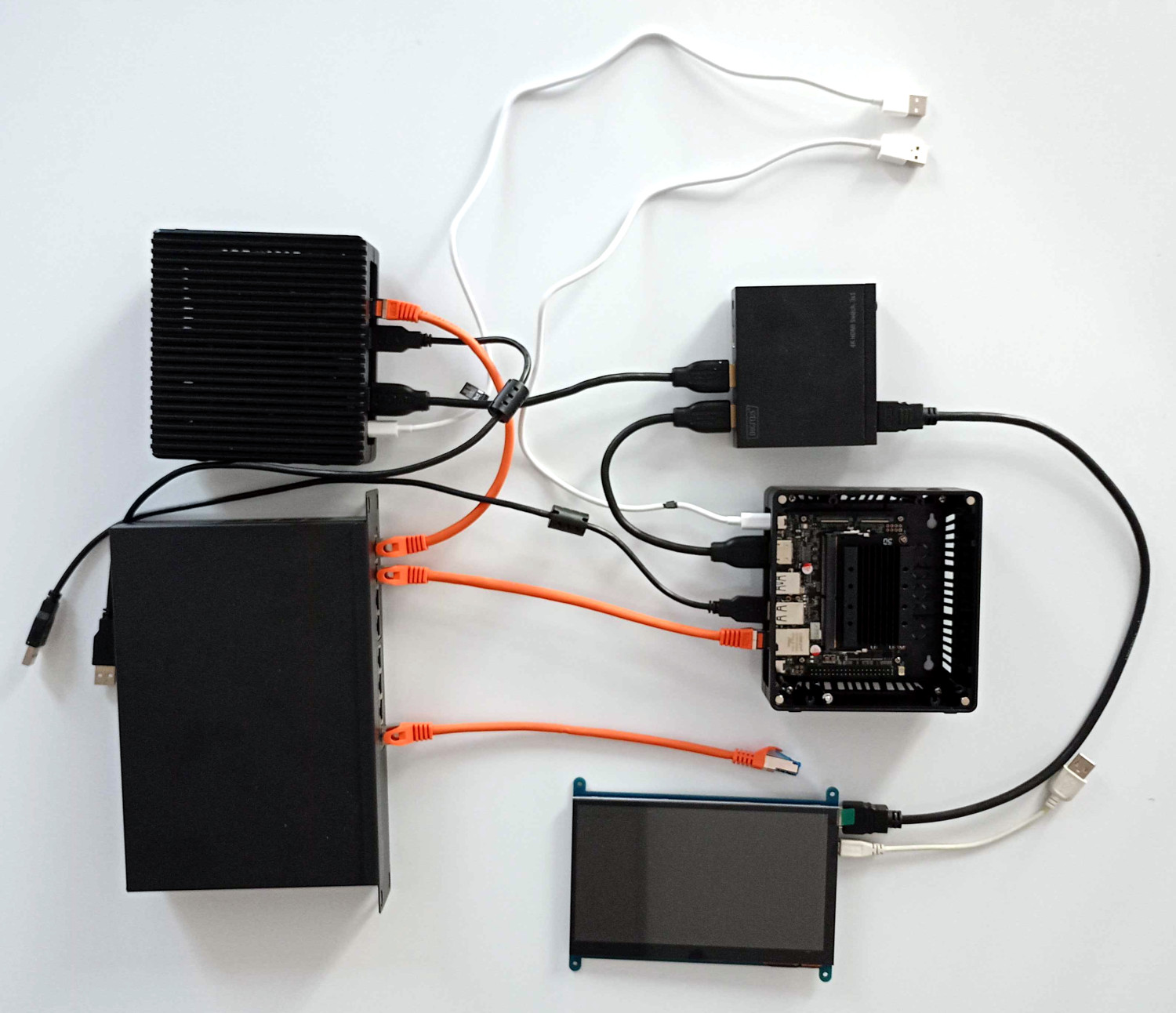
Both are off-the-shelf ARM-based NVIDIA Jetson nano boxes (reComputer J1010) with 4GB, quad-core Cortex-A57 CPU and 128-core CUDA GPU each.
The compute nodes and the access node are connected using a Gigabit Ethernet switch.
For debugging and demonstration purposes, we use an HDMI switch and a 7-inch (800x480 pixel, TC-8589556) screen mounted inside the chassis.
Access/storage node
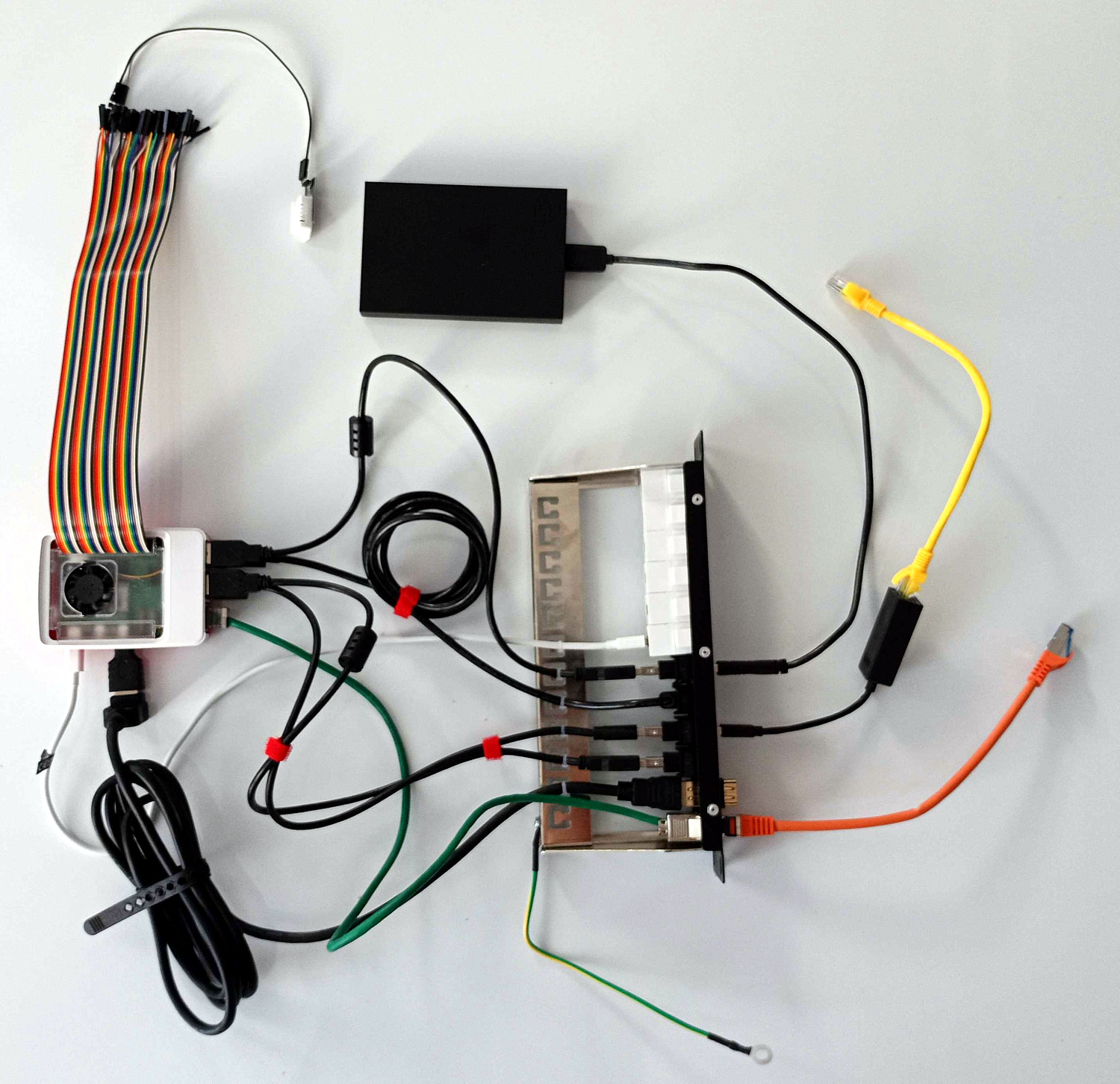
The role of access node is held by a single-plate Raspberry Pi 5 computer with built-in 16GB RAM memory and quad-core ARM 2.4 GHz CPU. Access node has a 16 GB microSD memory card, and is connected via USB to a 2.5” 2TB SSD. Raspberry has only one network interface controller, so one network is connected through Ethernet wire and another one has additional USB network adapter. The Raspberry Pi is also connected (through goldpins) to a temperature sensor.
Power supply and consumption monitoring, thermal control, electrical wiring
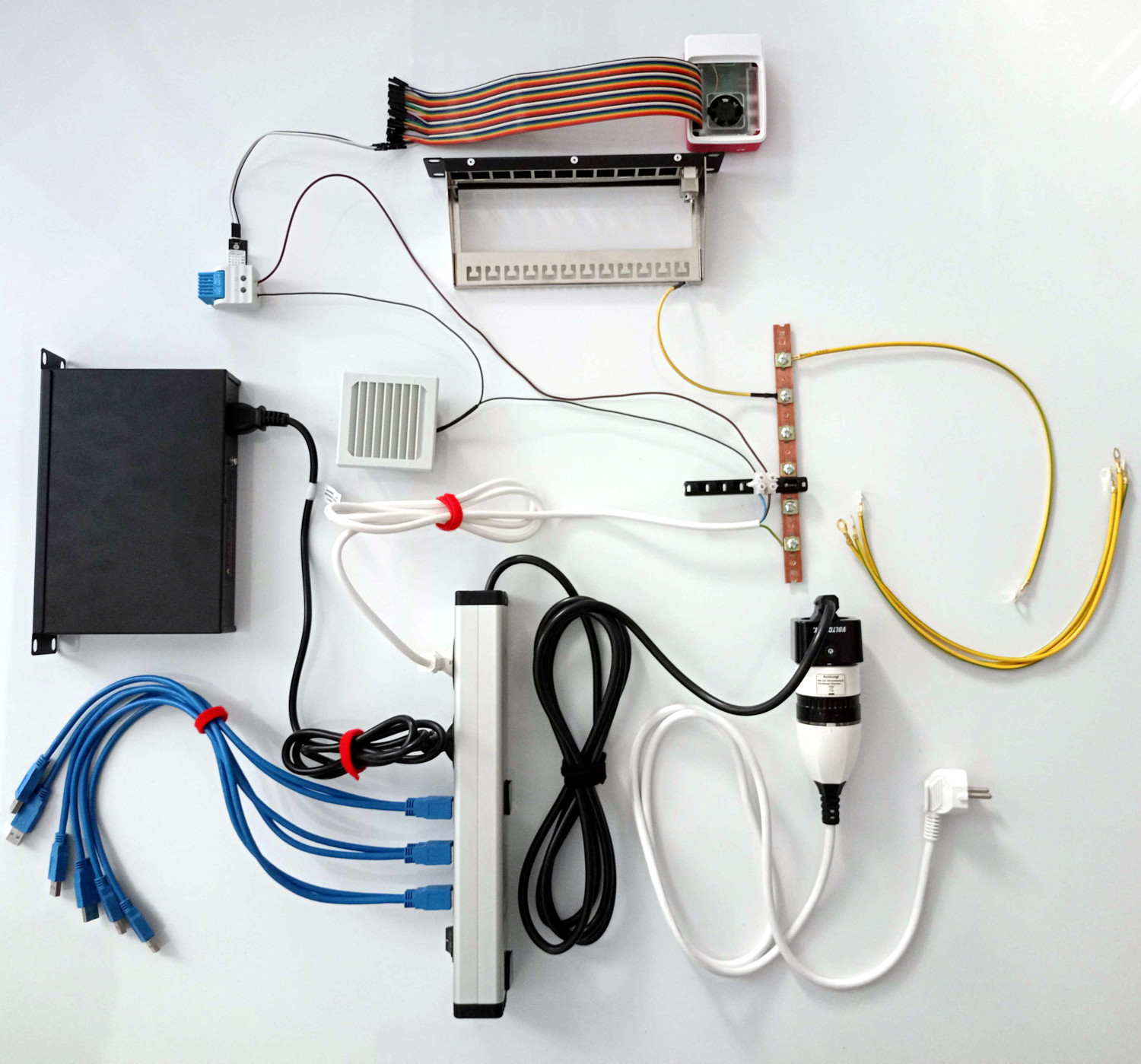
The external power supply is connected to a Bluetooth power consumption meter (Voltcraft SEM6000).
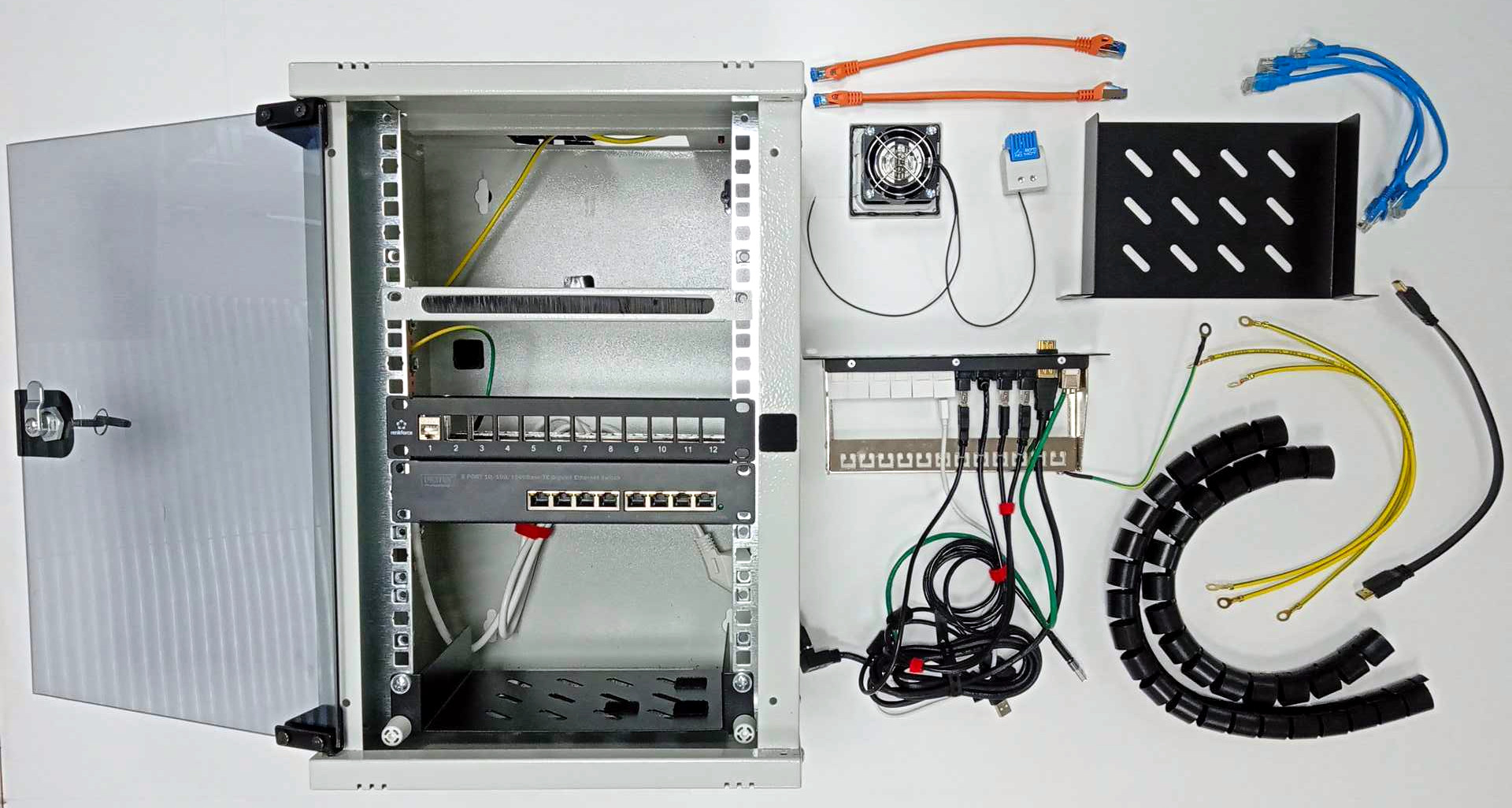
A power strip with six USB ports (2.1 A power per pair) is used to supply all components including
the Gigabit Ethernet switch which is connected directly into power strip.
A 230V fan (Elmeko 10 080 150) is connected to the power strip through a thermostat (Siemens 8MR2171-2BB)
which is factory-set to enable ventilation above 60°C.
A temperature sensor (Joy-it SEN-DHT22 with AM2302 chip) is placed next to the thermostat to enable monitoring of the
temperature.
We use a dedicated grounding busbar connected to the chassis, patch-panels and other metal items.
Chassis and cable management
The system is mounted within a 9-unit 10-inch rack with two shelves (one for access node and SSD; one for compute nodes and the HDMI switch). The 7-inch display is also mounted within the rack (occupying ca. 2.5 units). Most of the cabling is routed through two 12-port patch-panels with USB, Ethernet and HDMI Keystone modules. We use different colours for front-side USB ports and cables used for power supply (white) and data connections (black).
Mobile platform
The rack is attached to a mobile platform which also has a laptop docking station attached for connecting up to two displays used for demonstration purposes (not directly connected to the cluster or the rack). The whole system is in a proof-of-concept stage, and we are having great fun learning how to assemble, set up and use it. Stay tuned for more updates! 😉
🎓 Student project opportunities
Stay tuned…
Contributors from our team

Gracjan Adamus

Michał Wroński

Kacper Derlatka

Aleksandra Strząbała

Daria Klimaszewska

Agnieszka Żaba